
IPHONE · IPAD
ToDoLine
Organising a wedding, planning a holiday, preparing a move… Nothing could be simpler: merge your to-do list with a timeline. Place each task in time and see at a glance what you’ve done, what’s coming up and what can wait.
Preview
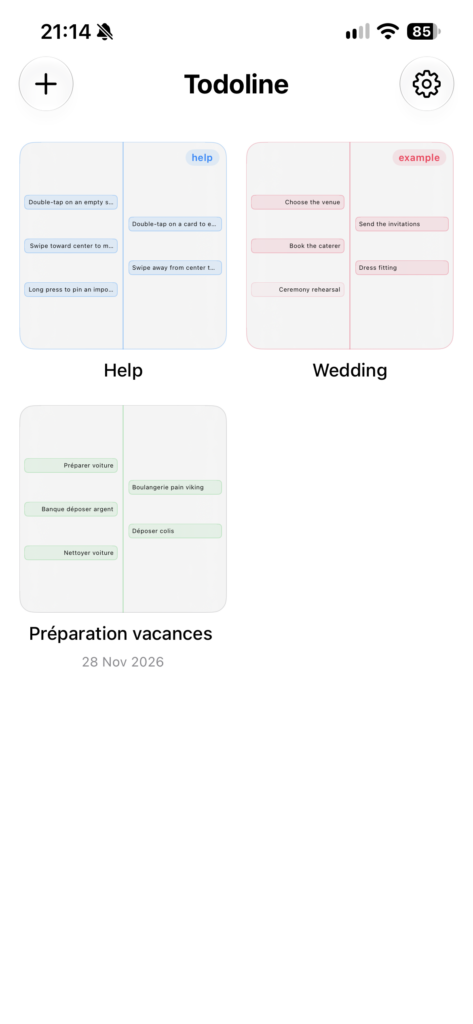
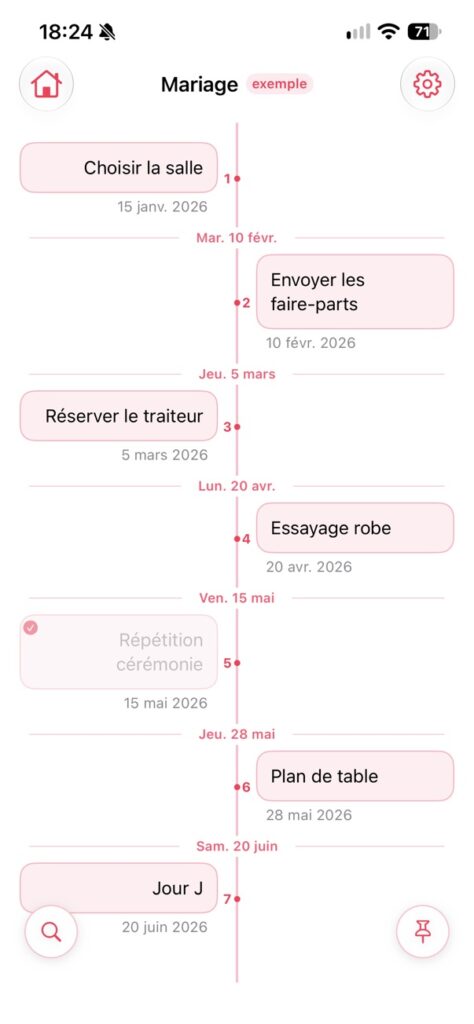
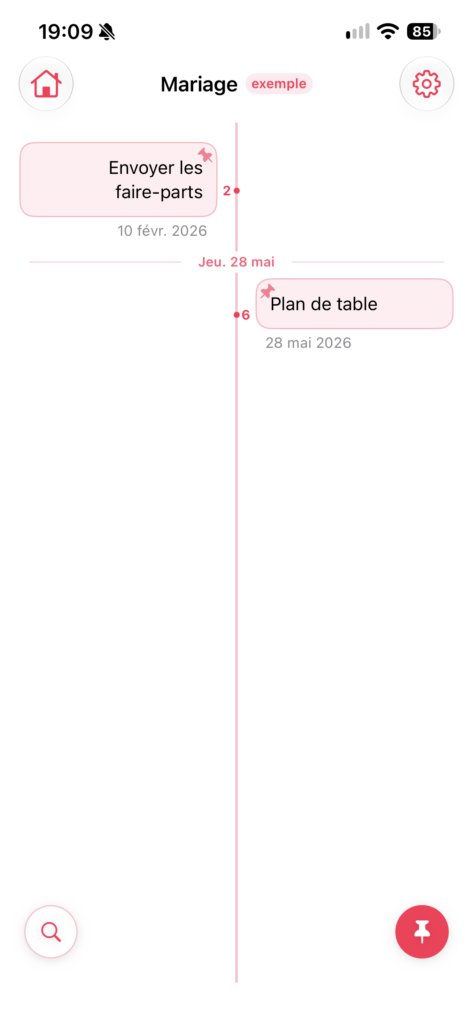
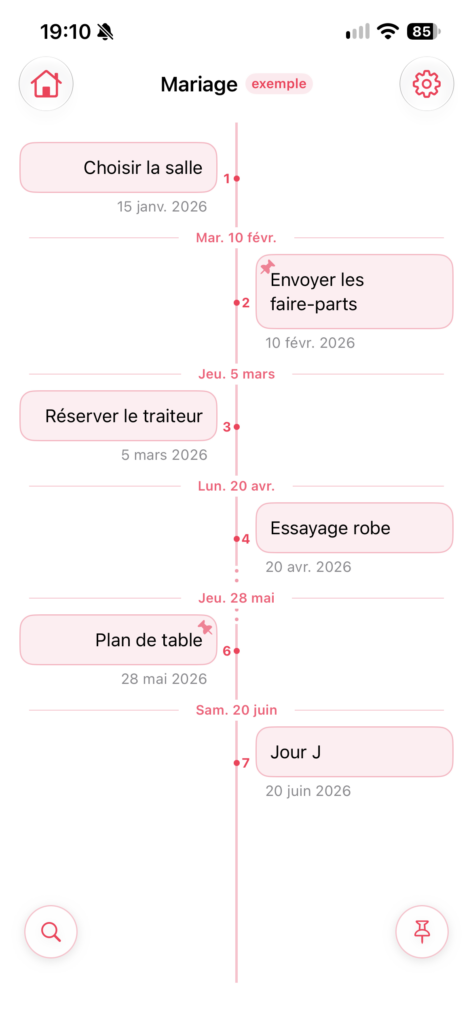
Screenshots of the version being finalised (French interface).
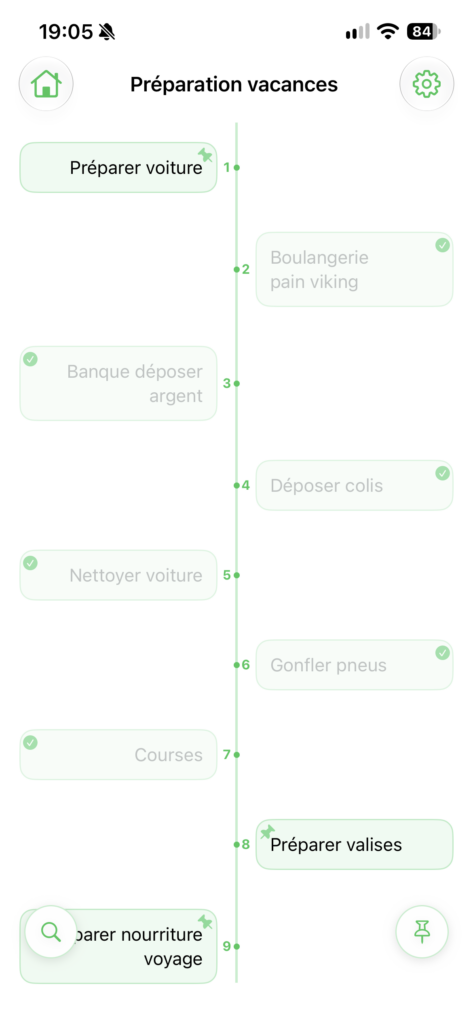

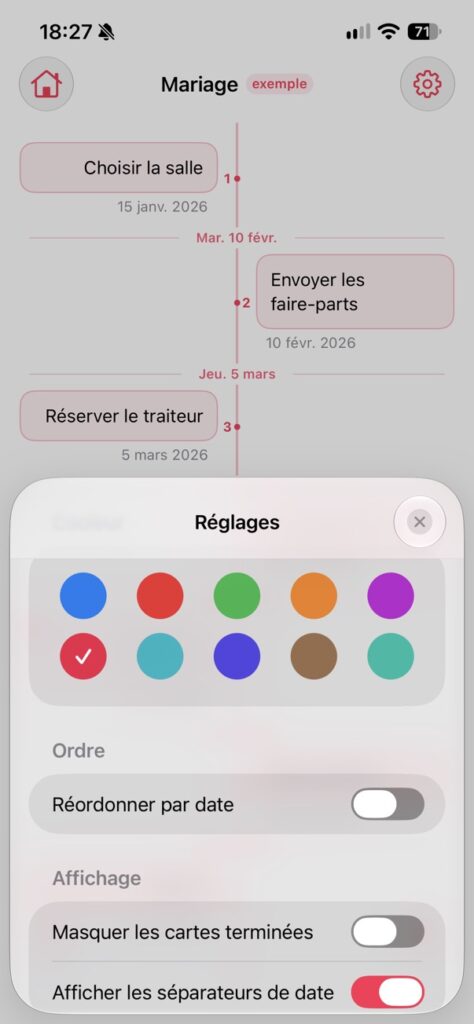
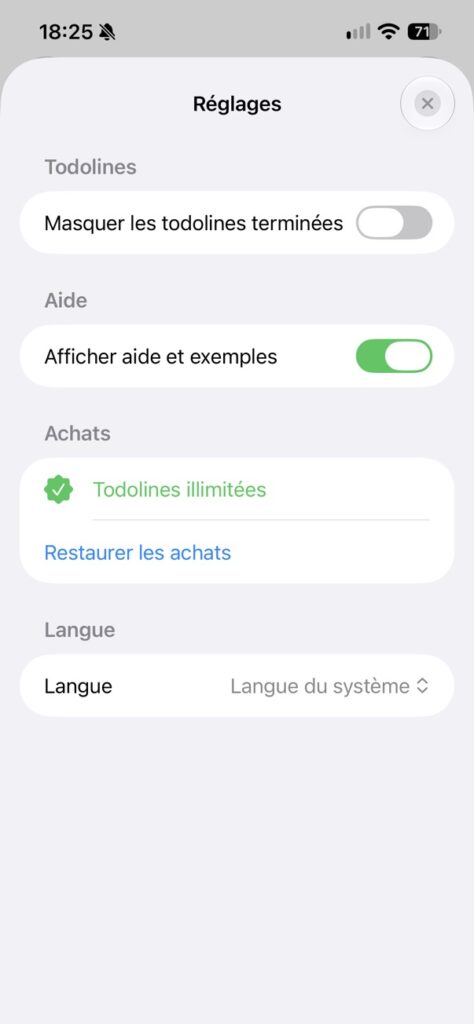
Everything you can do with ToDoLine
Organise your tasks in time
- Keep your cards in chronological order automatically, or turn sorting off for any timeline.
- Change a date: watch the card move to its new place as the screen scrolls to show you.
- Move a card by hand, wherever you like.
Read your cards at a glance
- See the date and time on every card.
- Spot each new day with a divider, which you can show or hide as you like.
- Pin an important card to keep it in view.
Track what you’ve done
- Mark a card as done with a single gesture.
- Show or hide your completed cards.
- Set a ToDoLine to “completed” once everything is done: it becomes read-only until you change its status again to edit it. Hide completed ToDoLines from the home screen if you like.
Find a task in an instant
- Search for a word and keep only the cards that contain it on screen.
- Search by date, even a partial one: a month, a year…
Make it your own
- Choose a colour for each timeline; every new timeline automatically gets a different one.
- Delete a card or a timeline with a simple swipe.
- Choose the app’s language.
Make the most of your iPad
- Browse your ToDoLines in a grid of 4, with large previews.
- Read larger cards, sized for the screen.
- Let the sample timeline guide you on first launch, then hide it in settings.
Two versions
Start for free with ToDoLine, then upgrade to ToDoLine (unlimited) with an in-app purchase when you need it.
ToDoLine
Free
- Create one ToDoLine
- Enjoy all the core features: timeline, colours, search, pinning, completed cards…
- Keep your data on your device
ToDoLine (unlimited)
In-app purchase
- Create as many ToDoLines as you want
- Sync your cards with Apple Calendar, both ways: leave a card undated, give it a date, or turn it into a real event (start, end, location, repeat) in the calendar of your choice
- Manage repeating events: the whole series appears as cards, and you edit a single occurrence or the whole series, just like in Calendar
- Find your ToDoLines on all your devices through your private iCloud
- Share a ToDoLine with another person through an iCloud invitation
Any questions?
Check the FAQ or write to us: we’ll get back to you as soon as possible.